
Dev Hammy and the Amazing Technicolour Hamster Ball
10.50 – Did some adult things and got back to the house! Rhys and I sat down together and exchanged ideas! We narrowed them to 3 concepts we think could be made in the time frame and would be fun and discussed them further.
12.16 – While discussing the design ideas we stuck to the idea of a ball moving in a physics based game. From our quote of the day: “We could put anything we wanted into a ball” we were thinking of a way to show the ball is actually moving and how fast instead of using just a flat 2d circle. We could have gone with a pattern on the ball but I wanted to try to animate some type of character so we went for a hamster in a hamster ball.
12.30 – We decided Rhys’s physics based game using colours would be the most viable. Game idea is go! Lets get to work!
13.18 -I started off by noting down some idea for the mechanic and doing some research into animation. I’ve never worked in unity 2d, unity animation or any type of sprite stuff! So I looked online on how to make a sprite sheet and animate it in unity from Photoshop as that was the only program we have.
After trying a few failed Photoshop plugins to transfer layers into a sprite sheet i decided to just used the contact sheet feature already built in. Possibly not the best option but i was fed up of reading failed tutorials.


14.20 – So far I’ve: Listed some obstacles we can use, looked up how to create sprites, how to export and import the animation,looked up some research like the ball levels in crash bandicoot and screwball scramble!
15.00 – Rhys got some of the mechanics in like the moving circle! I slapped a smiley face on it so we can see how fast it’s rotating. You can see right at the end that the ball follows the mouse to the right.


15.44 – I started doodling our hamster character and Rhys had implemented a slider to visualize the direction of the ball.
17.56 – I finished creating a pencil test and made some placeholder curves for the hamster to eventually go over.
18.02 – We got the hamster into the ball by layering it on top. At first it rotated with the ball which was quite hilarious!
20.09 Carried on animating.
20.21-Finished the character to a stage where I could carry on with something else.


21.00 – My unity crashed for the first time…
22.08-I started planning out some ramps. We go the ball changing colours for left, right and both button clicks.
00.12– We got the colours interacting with walls/obstacles of the same colour! I started blocking out a level for game play.
00.25 bed time!


Day 02
Unfortunatly for the Jam and me, I was ill for the rest of the project but still persisted through.
09.09-Laying out the first level to introduce the colour changing mechanic.
12.54 – More level progress.Added the steps to slow down the player.
13.15 – Trying to plan out where moving platforms will go and I placed one right in a derpy place! The player can just fall and skip loads of the level!
14.02 – We had an idea to include unicorns in the game htat would use magic to either levitate the hamster, shrink them etc. As a restart implementation we bounced the idea of a derpy looking unicorn who teleported you back to the start of the level.
15.27– Got the moving platform implemented that reacts to colour.


16.47 – added some collectibles to make the levels less empty.
17.07 – wind mechanic implemented.
17.38 – implemented: score counter, level end “you did it!” and loading next level. Started level 2 based on wind.
17.50 – Played around with more curvy ramps


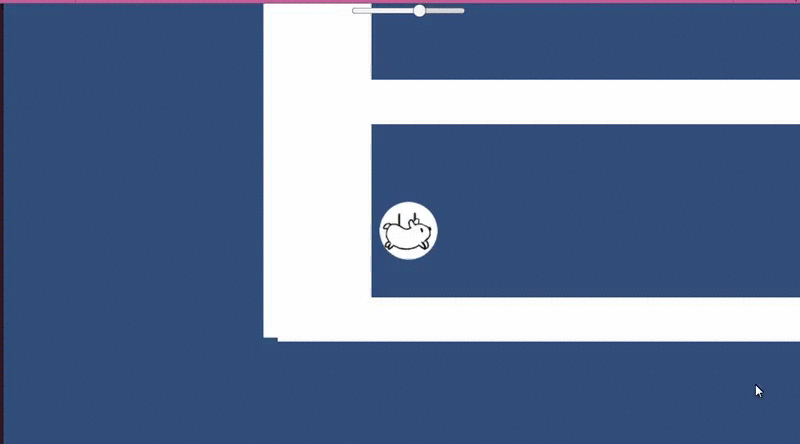
19.43 – We thought we lost some progress because one the ramps stopped acting how it did before. Turns out physics is just real hard to predict and control.
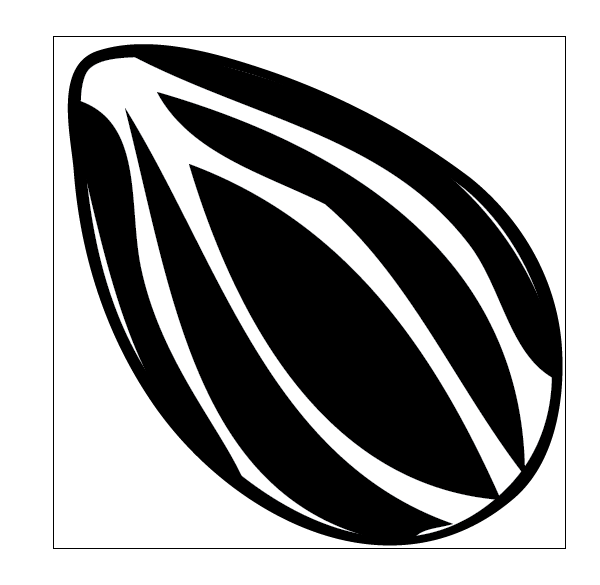
21.28 – seed assets which unlock colours.
23.10 – level 2 progress.
23.47 – bed time!!


Day 03
I stayed in bed super ill today but got up late to work and continue with what i could for the 2nd level. We got the build done by 12.30ish and got to bed! It felt great to get the game finished - we did a thing!


